
Photo by Mohammad Rahmani
HowTo: Multi-Stage docker builds with Hugo
- July 31, 2023
- Recommended, Web, Tools, Innovation
Table of Contents
Running a flat-file Hugo site couldn’t be easier with Docker and NGINX. A simple two-step process of making the HTML and building a container to run it.
I love flat-file sites for their speed and simplicity. Here, I’ll show you how to build a Docker container containing only the generated HTML and a webserver.
For this example, I will focus entirely on making the container and let you find out how to deploy it to your hosting provider.
First, we need a Dockerfile, and it’s surprisingly simple.
# Stage 1
FROM alpine:latest AS build

# Install the Hugo go app.
RUN apk add --update hugo

WORKDIR /opt/HugoApp

# Copy Hugo config into the container Workdir.
COPY . .

# Run Hugo in the Workdir to generate HTML.
RUN hugo

# Stage 2
FROM nginx:1.25-alpine

# Set workdir to the NGINX default dir.
WORKDIR /usr/share/nginx/html

# Copy HTML from previous build into the Workdir.
COPY --from=build /opt/HugoApp/public .

# Expose port 80
EXPOSE 80/tcp
We can see it’s a two-stage process, with stage 1 being the building process where we generate the HTML using the newly installed Hugo application. Stage 2 is a simple NGINX server, where we dump the generated HTML from the build step into, ready to be served.
Put a reverse proxy for SSL in front (CloudFront for AWS hosting comes to mind), and you’ve got a container serving your flat-file site on pretty much any cloud platform.
The only downside is cost. Running a container could be more expensive than the S3 setup I’m currently running, especially if you have to scale the setup. It’s also worth mentioning that you must maintain the container yourself, which is an added overhead. That being said, the vendor lock is broken with this setup.
During a recent meeting, I was asked how my website was hosted, and the short answer was:
“With some difficulty, and acceptance of vendor locking.”
But it doesn’t have to be that way. Containers are supported by all cloud hosting providers known to me, so this is how I would untangle myself from my current vendor if I were so inclined.
Generating and deploying HTML is currently a three-step process, which takes around 30 seconds on average, depending on how many changes I’ve made. It’s worth noting that the S3 bucket is cleared before the new content is uploaded, which also takes a little time.
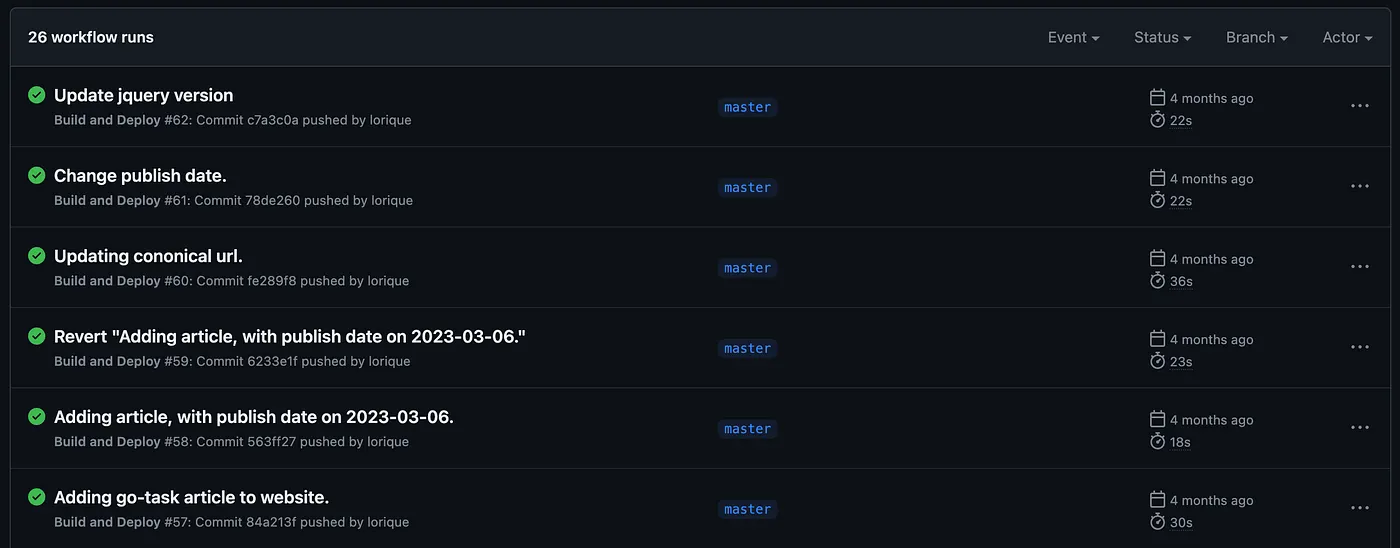
If you want to know more about my experience of running a flat-file website for two years - and why I switched - you can read more about it here
TLDR;
Docker multi-stage builds can generate the HTML from Hugo and then provide that HTML for the next stage, where we make an NGINX container to serve the HTML to visitors. The process is painless, though possibly more expensive to run.
I don’t consider vendor locking all bad, especially for my current setup. I have zero cost, zero container/server maintenance, and I don’t feel the need to break the vendor locking for this particular setup.
Tags:
Related Posts
Hugo: Two years with a flat-file serverless website
- May 14, 2023
- Recommended, Innovation, Framework, Gohugo, Flat file, Web, Cms
In May 2021, I was fed up with my website. It was nothing more than a business card with contact information, and it cost me $20 a month to host it.
Read More
Hugo: A flat file CMS.
- April 20, 2021
- Recommended, Innovation, Framework, Gohugo, Flat file, Web, Cms
As a developer, I’ve had plenty of experience setting up sites for clients, but when it comes to my own site, I often can’t be bothered. WordPress …
Read More
RAG Isn't Dead
The idea that RAG is dead has been spreading like wildfire, but over and over again I see people lay out their proof and the mistakes are glaring. More …
Read More